Creating a study guide is one of the most effective ways to prepare for exams and retain information long-term. Research from cognitive science shows that students who actively organize and condense their study material score up to 30% higher on exams compared to those who rely on passive re-reading. Yet many students either skip this step entirely or create study guides that fail to help them when it matters most.
Whether you are preparing for a midterm, a final exam, or a professional certification, knowing how to make a study guide can transform your academic performance. In this complete guide, we will walk you through everything from understanding what a study guide is to building one step by step, choosing the right format, and using modern AI tools to speed up the process.
A study guide is a condensed, organized document that distills the most important concepts, terms, and ideas from your course material into a format that is easy to review. Think of it as a personalized roadmap for your exam preparation — it tells you what to study, how topics connect, and where to focus your energy.
Unlike raw lecture notes or textbook chapters, a study guide is intentionally structured. It filters out the noise and highlights what matters. A good study guide does three things:
- Organizes information by topic, theme, or chronological order so you can see the big picture.
- Condenses content into key takeaways, definitions, and formulas you need to remember.
- Promotes active recall by including questions, prompts, or blank sections that force you to retrieve information from memory.
Study guides are not just for cramming the night before an exam. When created early and reviewed regularly, they serve as a living document that evolves with your understanding of the material.
The effectiveness of study guides is rooted in several well-established learning principles:
The Generation Effect
When you create a study guide, you are not passively copying notes — you are actively processing, selecting, and reorganizing information. This act of generation strengthens memory encoding far more than simply re-reading or highlighting text.
Elaborative Interrogation
A well-made study guide forces you to ask "why" and "how" questions about the material. When you decide what to include and what to leave out, you are making judgments about importance and relevance, which deepens understanding.
Spaced Repetition
Once your study guide exists, you can review it in short sessions spread over days or weeks. This spaced repetition is proven to be one of the most effective strategies for long-term retention.
Dual Coding Theory
Study guides that combine text with visuals — diagrams, charts, mind maps — leverage both verbal and visual memory systems, making recall significantly easier during exams.
Not every study guide looks the same. The best format depends on the subject, your learning style, and the type of exam you are preparing for. Here are the most common types:
1. Outline Study Guide
The most traditional format. You organize material in a hierarchical structure using headings, subheadings, and bullet points.
Best for: Subjects with clear topic hierarchies like history, biology, or political science.
Structure:
- Main Topic
- Subtopic A
- Key detail 1
- Key detail 2
- Subtopic B
2. Cornell Method Study Guide
Divide your page into three sections: a narrow left column for cues and questions, a wide right column for notes and answers, and a bottom section for a summary.
Best for: Lecture-heavy courses where you need to test yourself on specific concepts.
3. Concept Map / Mind Map Study Guide
A visual format where you place a central topic in the middle and branch out to related concepts, showing how ideas connect.
Best for: Subjects with complex relationships between ideas, such as psychology, philosophy, or systems biology.
4. Flashcard-Based Study Guide
Instead of a single document, you create a set of flashcards with questions on one side and answers on the other. This format naturally promotes active recall.
Best for: Vocabulary-heavy subjects, language learning, anatomy, and any course with many facts to memorize.
5. Comparison / Table Study Guide
Organize information into tables that compare and contrast different concepts, theories, events, or processes side by side.
Best for: Subjects that require you to differentiate between similar concepts, such as comparing literary movements, chemical compounds, or historical events.
6. Timeline Study Guide
A chronological format that maps events, developments, or processes along a timeline.
Best for: History, literature, and any subject where sequence and causation matter.
7. Question-and-Answer Study Guide
Structure your entire guide as a series of questions and answers, mimicking the format of an actual exam.
Best for: Exam preparation where you know the question format in advance.
Follow these seven steps to create a study guide that actually helps you learn and retain information.
Step 1: Gather All Your Materials
Before you start writing, collect everything you need in one place:
- Lecture notes and slides
- Textbook chapters and assigned readings
- Homework assignments and past quizzes
- Syllabi and study objectives
- Any supplementary materials (videos, handouts, lab reports)
Having everything accessible prevents you from missing important topics and saves time during the creation process.
Step 2: Identify the Scope and Key Topics
Review your syllabus, exam review sheets, or professor's study guide suggestions to determine what topics will be covered. Make a master list of all major topics and subtopics.
Ask yourself:
- What did the professor emphasize in class?
- Which topics appeared on past quizzes or homework?
- Are there specific learning objectives listed on the syllabus?
- What concepts do I find most confusing?
Prioritize topics that are likely to appear on the exam and those you find most challenging.
Step 3: Choose Your Study Guide Format
Select the format that best matches your subject and learning style. You can also combine formats — for example, use an outline structure for most topics but include comparison tables for sections that require differentiation.
Consider these factors:
- Type of exam: Multiple choice exams favor flashcard-style guides, while essay exams favor outlines and concept maps.
- Subject matter: STEM subjects often benefit from formula sheets and worked examples, while humanities courses work well with timelines and outlines.
- Personal preference: If you are a visual learner, lean toward mind maps and diagrams.
Step 4: Condense and Organize the Material
This is where the real learning happens. Go through your source materials and extract the most important information. For each topic:
- Write a one-sentence summary that captures the core idea.
- List key terms and definitions you need to know.
- Note important formulas, dates, or facts.
- Include examples that illustrate the concept.
- Add connections to other topics where relevant.
The goal is not to copy your notes word for word. Paraphrase in your own words — this forces you to process the information deeply.
Step 5: Add Visual Elements
Enhance your study guide with visuals that aid understanding and memory:
- Diagrams and charts for processes or data
- Mind maps for showing relationships between concepts
- Color coding to differentiate categories or importance levels
- Tables for comparing and contrasting
- Mnemonics and memory aids for lists or sequences
Visual elements engage different parts of your brain and make your study guide more effective and easier to navigate.
Step 6: Include Self-Testing Elements
A study guide that only presents information is incomplete. Add elements that force you to actively retrieve knowledge:
- Practice questions at the end of each section
- Fill-in-the-blank sections for key terms
- Prompts like "Explain this concept in your own words"
- Flashcard-style cues in the margins
Self-testing is where the real retention gains happen. Every time you successfully retrieve an answer from memory, that memory becomes stronger.
Step 7: Review and Refine
Your study guide should be a living document. After creating it:
- Review it within 24 hours to catch errors and fill gaps.
- Test yourself using the self-testing elements you added.
- Update it as you learn new material or clarify confusing topics.
- Revisit it at spaced intervals — one day later, three days later, one week later.
Keep It Concise
A study guide that is as long as your original notes defeats the purpose. Aim for roughly one-quarter to one-third the length of your source material. If a chapter is 30 pages, your study guide for that chapter should be 8-10 pages at most.
Use Your Own Words
Paraphrasing forces deeper processing. If you find yourself copying verbatim, stop and ask: "How would I explain this to a friend?"
Focus on Understanding, Not Memorization
While memorization has its place (dates, formulas, vocabulary), prioritize understanding the "why" behind concepts. Exam questions increasingly test application and analysis, not just recall.
Study in Layers
Do not try to create your entire study guide in one sitting. Work on it over multiple sessions, adding depth and detail each time. This approach naturally incorporates spaced repetition into the creation process.
Collaborate Strategically
Study guides benefit from peer review. Compare your guide with a classmate's to catch topics you may have missed. However, make sure you create your own version first — the act of creation is where the learning happens.
Prioritize Weak Areas
Spend more space and detail on topics you find challenging. Your study guide should reflect your personal knowledge gaps, not just mirror the textbook structure.
Keep It Accessible
Store your study guide where you can access it easily — on your phone, laptop, or in a cloud service. The best study guide is useless if you cannot review it during spare moments.
While creating a study guide manually is a valuable learning exercise, AI tools can dramatically accelerate the process — especially when you are short on time or dealing with large volumes of material.
How AI Study Guide Makers Work
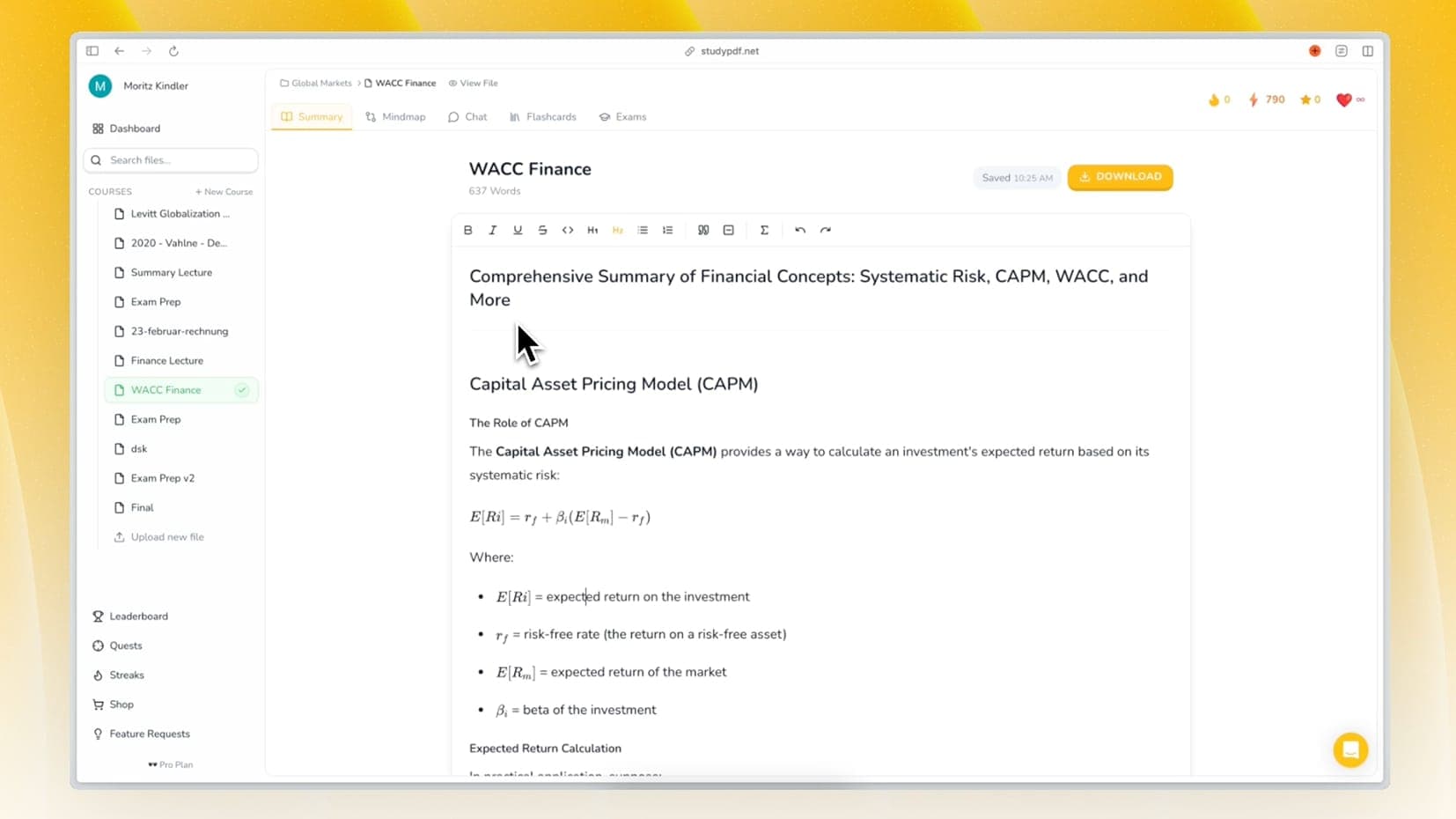
Modern AI study guide tools analyze your uploaded documents (PDFs, lecture slides, textbooks) and automatically extract key concepts, generate summaries, and organize information into structured formats. The best tools go beyond simple summarization — they identify the most important content, create visual aids, and even generate practice questions.
StudyPDF: The Complete AI Study Guide Maker
StudyPDF's AI Summarizer turns your own course material into a structured study guide in seconds. StudyPDF is built around Bo, a course-scoped study agent: you upload your material and Bo answers only from it, with every point citing the exact page, second, or source. It is built for your course, not for the internet. Here is what makes it stand out:
- Upload your whole course: PDFs (including scanned and handwritten), photos, YouTube videos, and websites
- Study guides built from your material with clean structure and citations back to the source
- Cited, concept-tagged answers so you can trust each claim and trace it to the page it came from
- Mind maps that visualize how topics connect
- Flashcards for active recall practice
- Quizzes and practice exams generated from your own notes
- Cheat sheets and summaries that condense a topic down to the essentials
Everything Bo makes is concept-tagged and feeds per-concept mastery tracking, so you can see which topics you have down and which still need work. You can export to PDF, Word, or Anki.
A Practical Workflow: Manual + AI
The most effective approach combines manual effort with AI assistance:
- Upload your materials to StudyPDF and generate a study guide from them.
- Review the output and customize it to match your needs.
- Add your own notes, examples, and explanations in areas where you need more depth.
- Generate flashcards and quizzes from your material for active recall practice.
- Ask Bo to clarify confusing concepts and check the citation it gives you back against the source.
This hybrid approach saves time while preserving the active learning benefits of manual study guide creation.
You can also use StudyPDF's Study Guide Generator to create structured study guides tailored to specific exams, courses, or topics.
Having a template saves time and ensures consistency. Here are ready-to-use templates for the most common study guide formats.
Template 1: Outline Study Guide
[Course Name] — Study Guide
Exam Date: ___________

TOPIC 1: [Name]
  Overview: [1-2 sentence summary]
  Key Terms:
    - [Term]: [Definition]
    - [Term]: [Definition]
  Key Concepts:
    - [Concept 1]
    - [Concept 2]
  Important Details:
    - [Detail]
  Practice Question: [Write a question about this topic]

TOPIC 2: [Name]
  ...
Template 2: Cornell Method Study Guide
[Course Name] — Cornell Study Guide

| Cues / Questions          | Notes                              |
|---------------------------|-------------------------------------|
| What is [concept]?        | [Detailed explanation]              |
| How does [process] work?  | [Step-by-step description]          |
| Why is [topic] important? | [Significance and context]          |

Summary:
[2-3 sentences summarizing the entire page]
Template 3: Comparison Table Study Guide
[Course Name] — Comparison Guide

| Criterion     | Concept A        | Concept B        | Concept C        |
|---------------|------------------|------------------|------------------|
| Definition    |                  |                  |                  |
| Key Features  |                  |                  |                  |
| Pros          |                  |                  |                  |
| Cons          |                  |                  |                  |
| Examples      |                  |                  |                  |
| Exam Relevance|                  |                  |                  |
Template 4: Question-and-Answer Study Guide
[Course Name] — Q&A Study Guide

Q1: [Question about Topic 1]
A1: [Detailed answer]

Q2: [Question about Topic 1]
A2: [Detailed answer]

Q3: [Question about Topic 2]
A3: [Detailed answer]

--- Key Formulas ---
[Formula 1]: [Explanation]
[Formula 2]: [Explanation]

--- Key Vocabulary ---
[Term 1]: [Definition]
[Term 2]: [Definition]
Template 5: Mind Map Study Guide
For mind maps, a text template only goes so far. The best approach is to use a tool like StudyPDF's Mind Map Maker, which automatically generates visual, expandable mind maps from your uploaded documents. You can then customize the branches, add notes, and use the hidden study mode to test yourself.
Even with the best intentions, students often make these mistakes when creating study guides:
Trying to Include Everything
A study guide is not a transcript. If you include every detail, you have just rewritten your notes. Be ruthless about what makes the cut.
Starting Too Late
Creating a study guide the night before an exam does not give you time to review it properly. Start at least one week before your exam — ideally, build your guide progressively throughout the semester.
Ignoring Active Recall
A study guide that only contains information is a reference sheet, not a study tool. Always include questions, prompts, or blank sections that require you to retrieve answers from memory.
Using Someone Else's Guide Without Modification
Borrowing a study guide is fine as a supplement, but relying solely on someone else's guide robs you of the learning that comes from creating your own. At minimum, rewrite key sections in your own words.
Neglecting Visuals
Walls of text are hard to navigate and harder to remember. Break up your guide with diagrams, tables, color coding, and whitespace.
Knowing how to make a study guide is a skill that pays dividends throughout your academic career and beyond. The process of selecting, organizing, and condensing information is itself a powerful learning exercise — and the finished product gives you a focused, efficient tool for exam preparation.
Start with one of the templates above, follow the step-by-step process, and do not hesitate to leverage AI tools like StudyPDF to handle the heavy lifting when time is short. The best study guide is one that you actually use — so keep it concise, make it personal, and review it often.