Last updated: June 2026.
The best flashcard maker in 2026 for turning your own course material into cited flashcards is StudyPDF, because it generates a complete deck from your PDFs, photos, YouTube videos, or websites in under a minute, and every card cites the exact page or source it came from. Quizlet is still the best pick if you want pre-made community decks, and Anki stays the choice for power users who want maximum control over a free, open-source review engine.
Flashcards remain one of the most effective study methods backed by cognitive science, but the tools we use to create them have changed. In 2026, students no longer need to spend hours manually typing out flashcard decks. AI study tools can now generate hundreds of accurate flashcards from a single PDF, lecture recording, or set of notes in seconds. The question is no longer whether to use digital flashcards. It is which platform does it best.
If you have been searching for the best flashcard maker in 2026 or a reliable Quizlet alternative, you are not alone. Many students are re-evaluating their study tools as AI capabilities outpace what legacy platforms can offer. This guide breaks down the three most popular flashcard platforms, StudyPDF, Quizlet, and Anki, so you can make an informed decision about where to invest your study time.
StudyPDF is a course-scoped AI study agent. You upload your own material and Bo, the study buddy inside StudyPDF, answers only from it. Every answer cites the exact page in a PDF, second in a video, or source on a website. It is built for your course, not for the internet.
Quizlet has been synonymous with digital flashcards for over a decade. It built a massive library of user-generated content and became the default recommendation for students worldwide. But the landscape has shifted. Here is why students are actively searching for a Quizlet alternative in 2026:
Limited AI capabilities. While Quizlet has introduced some AI features, they remain surface-level compared to platforms built with AI at their core. Quizlet still primarily relies on manual card creation or basic text extraction, which means students spend more time building decks than actually studying.
Paywalled features. Features that were once free on Quizlet now sit behind the Quizlet Plus subscription. Study modes like Learn and certain customization options require a paid plan, frustrating long-time users who remember when the platform was entirely free.
No document processing. Quizlet does not accept PDFs, Word documents, or PowerPoint slides as input. Students who want to turn their lecture materials into flashcards must manually copy and paste content, which defeats the purpose of using a digital tool.
Static learning algorithm. Quizlet's spaced repetition system is basic compared to scientifically validated algorithms like SM-2. Cards appear in a relatively fixed rotation rather than adapting to individual learning patterns.
These limitations have created an opening for AI-native platforms like StudyPDF that were designed from the ground up to solve these exact problems.
Before diving into the details, here is a high-level comparison of the three leading flashcard platforms in 2026:
| Feature | StudyPDF | Quizlet | Anki |
|---|
| AI Flashcard Generation | Yes, from PDFs, photos, YouTube, websites | Limited, basic text extraction | No, manual creation only |
| Cited to Your Source | Yes, every card cites the exact page or source | No | No |
| Document Upload | PDFs of any quality, scans, handwriting, photos | None | None |
| YouTube Processing | Yes, video to flashcards with timestamps | No | No |
| Math/LaTeX Support | Full support across all cards | Limited | Yes (with add-ons) |
| Image Support on Cards | Yes, figures cropped from your source | Yes, manual only | Yes, manual only |
| Mind Maps | Yes, auto-generated | No | No |
| Practice Exam Generator | Yes, full cited practice exams | No | No |
| AI Study Assistant | Yes, answers only from your material, with citations | No | No |
| Per-Concept Mastery Tracking | Yes, every artifact feeds mastery | No | No |
| Streaks | Visit-based daily streak | Streaks only | None |
| Community Content | No, built from your own material | Massive library (legacy) | Shared decks (community) |
| Mobile App | Coming soon | iOS and Android | iOS and Android |
| Offline Mode | No | Yes (paid) | Yes |
| Free Tier | Free to start, no card, generous | Limited free features | Completely free (desktop) |
| Paid Plans | Pro and Ultra | $7.99/mo | Free (desktop), $24.99 (iOS) |
AI-Powered Flashcard Generation
This is where the gap between platforms becomes most obvious. The best flashcard maker in 2026 must leverage AI to save students time and improve card quality.
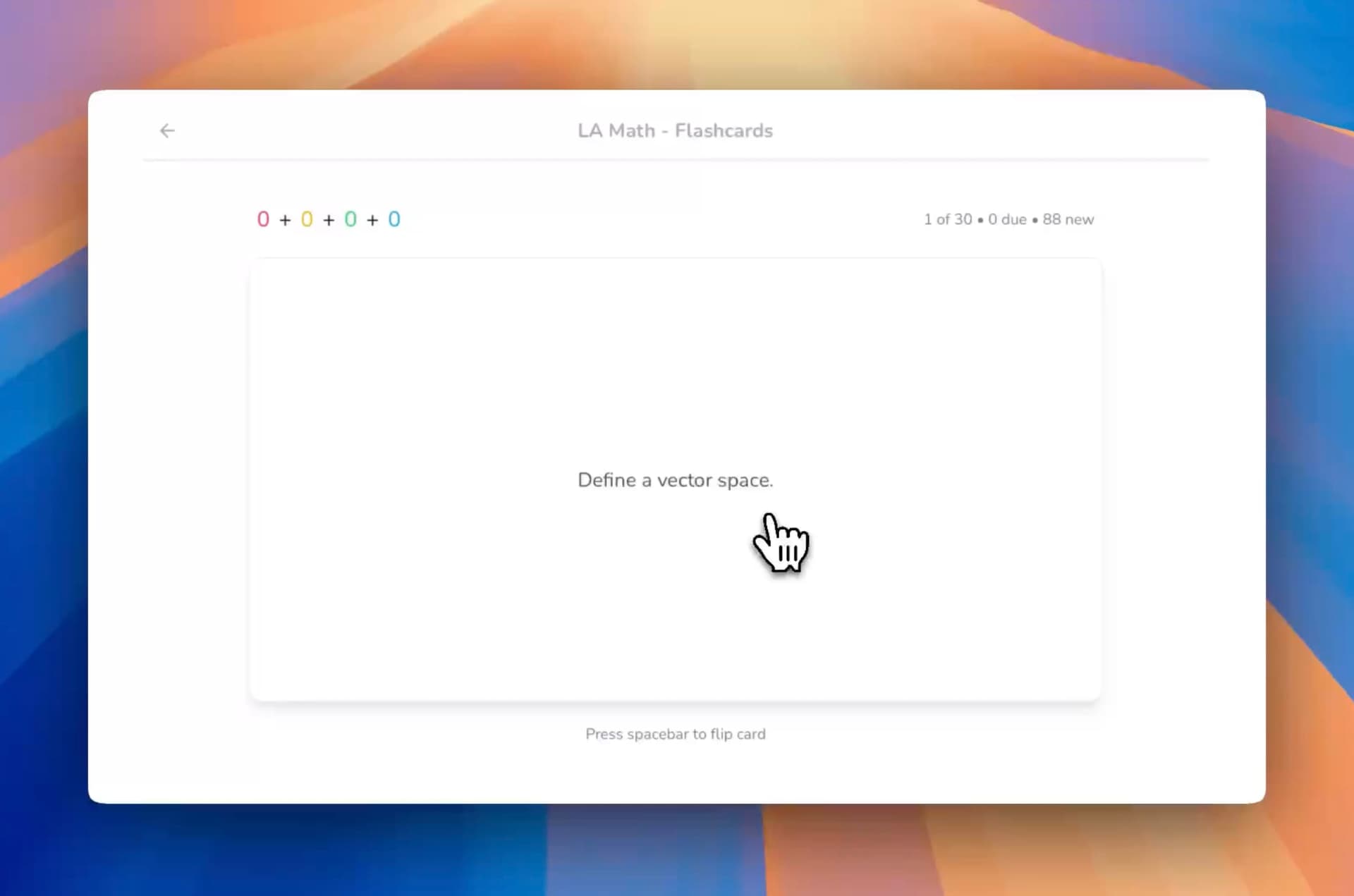
StudyPDF accepts PDFs (including scanned and handwritten pages), photos, YouTube videos, and websites as input. Upload your whole course, and Bo, the StudyPDF study agent, analyzes the content, identifies key concepts, and generates a complete flashcard deck in under a minute. Cards include proper terminology, definitions, mathematical formulas rendered in LaTeX, and a citation back to the exact page or source each card came from. Bo is built for your course, not for the internet, so every card is grounded in your own material. You can review the generated cards, edit any you want to adjust, and start studying immediately. This is what makes StudyPDF a strong Quizlet alternative for students who study from documents.
Try it yourself with the free AI flashcard generator. No account required for your first deck.
Quizlet requires manual card creation for most use cases. While it has introduced Q-Chat and some AI-assisted features, the core flashcard creation workflow still depends on students typing out terms and definitions one by one. For students with hundreds of pages of lecture notes, this is a dealbreaker.
Anki is entirely manual. Every card must be created by hand or imported from shared decks. While Anki's open-source ecosystem allows for add-ons that can assist with card creation, the setup process is technical and time-consuming.
Tracking What You Actually Know
Repetition only helps if it points you at your weak spots. The three platforms handle this very differently.
StudyPDF tags every flashcard, quiz, and exam to the concepts in your own material, then tracks your mastery per concept as you study. When you review cards or answer questions, that result feeds a mastery picture that shows which concepts you have down and which still need work. Your study time stays focused on your weakest areas, which is the most efficient way to build long-term retention. A visit-based daily streak gives you a simple reason to come back each day.
Quizlet uses a proprietary spacing system. While it does space cards out, the intervals are not as precisely calibrated to individual learning curves. Students who are serious about optimized retention often find Quizlet's approach too simplistic.
Anki pioneered the SM-2 algorithm in the digital flashcard space and remains the gold standard for raw algorithm quality. However, Anki's interface for reviewing cards is dated, and configuring the algorithm parameters requires technical knowledge that most students do not have.
StudyPDF combines per-concept mastery tracking with a modern, intuitive interface.
Beyond Flashcards: The Complete Study Suite
The best flashcard maker in 2026 is not just a flashcard maker. Students need a connected ecosystem where flashcards feed into broader study workflows.
StudyPDF generates flashcards as part of a comprehensive study suite. From the same uploaded material, Bo builds seven kinds of study artifact, all cited and concept-tagged:
- Flashcards that cite the page or source each card came from
- Quizzes with cited questions
- Practice exams for full test readiness
- Study guides that pull your material into one place
- Cheat sheets for fast review
- Summaries of long documents
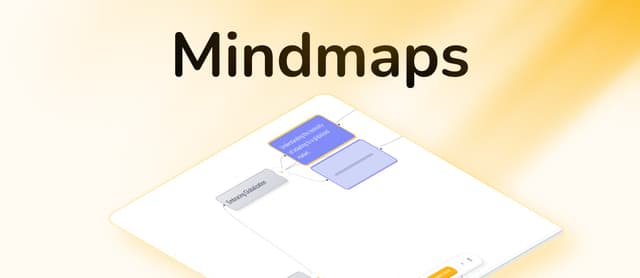
- Mind maps that lay out how concepts connect
A built-in study assistant answers questions using only your uploaded content, with citations. This means a single upload produces an entire study ecosystem. Difficulty, scope, and card count are simple knobs, and everything is generated in your language. Learn more about how students use this for exam prep in our AI flashcard use cases guide.
Quizlet is primarily a flashcard tool. While it offers some study modes (Learn, Test, Match), these are variations on the same flashcard content rather than truly different study modalities. There are no mind maps, no exam generators, and no AI tutoring.
Anki is exclusively a flashcard tool. It does one thing and does it well, but students who need visual study aids, practice exams, or AI assistance must use separate tools.
Price matters for students. Here is how the three platforms compare on cost:
StudyPDF Pricing
- Free tier: Free forever, no card required, generous usage and access to all features
- Pro and Ultra: Paid plans that raise your usage budget for heavier study weeks
Quizlet Pricing
- Free tier: Basic flashcard creation with ads, limited study modes
- Quizlet Plus: $7.99/month for ad-free use, offline access, and advanced study modes
- Quizlet for Schools: Custom pricing for educators
Anki Pricing
- Desktop (Windows/Mac/Linux): Completely free
- AnkiWeb (sync): Free
- AnkiMobile (iOS): $24.99 one-time purchase
- AnkiDroid (Android): Free
Value analysis: StudyPDF is free to start, with paid Pro and Ultra plans for heavier weeks, while offering more than a flashcard tool: AI generation, mind maps, practice exams, and per-concept mastery tracking. Anki is the cheapest option if you use desktop only, but you pay in time. Every card must be created manually, and the learning curve for setup and configuration is steep.
For students who study from their own documents, StudyPDF offers a strong balance of price and productivity. The minutes saved on AI flashcard generation alone can pay for itself within the first week of use.
AI is the core difference between platforms that save students time and platforms that waste it. Here is how each tool's AI capabilities stack up.
StudyPDF: AI-First Architecture
StudyPDF was built as an AI-native platform. Every feature is designed around intelligent document processing:
- Multi-format processing: Upload PDFs (including scanned and handwritten pages), photos, YouTube videos, or websites. Bo extracts text, figures, formulas, and structure to generate study materials.
- Cited flashcard generation: Cards are not just term-definition pairs. Bo understands your document context, creating cards that capture nuanced relationships between concepts, each one citing the exact page or source it came from.
- Grounded study assistant: Ask questions about your uploaded content and get answers from your actual study materials, not generic internet responses. Bo is built for your course, not for the internet, and cites the page or second each answer comes from.
- Smart summaries and study guides: Summaries and study guides with highlighting and expandable sections that adapt to your material's structure.
- Practice exam generation: Bo creates full practice exams from your material, cited and concept-tagged so the results feed your mastery picture.
Quizlet: Retrofitted AI
Quizlet has been adding AI features to its existing platform, but the integration feels incremental rather than foundational:
- Q-Chat: A basic AI chatbot for studying, but limited in its understanding of user-uploaded content.
- AI-enhanced Learn mode: Some adaptive spacing based on performance, but less sophisticated than SM-2.
- No document processing: The most useful AI capability, turning documents into study materials, is absent.
Anki: No AI (By Design)
Anki takes a deliberate approach of providing the algorithm and letting users handle content creation. While this gives maximum control, it means:
- No AI generation: Every card is manually created.
- Community add-ons: Some third-party add-ons attempt to add AI features, but quality and reliability vary.
- Manual is the philosophy: Anki users often argue that creating cards manually improves learning, which has some truth, but at the cost of significant time investment.
Different students have different needs. Here is an honest breakdown of which platform fits which learning style.
Choose StudyPDF If You:
- Study from documents. If your primary study materials are PDFs, lecture slides, or textbooks, StudyPDF's AI generation is unmatched. Upload once, study everywhere.
- Want a complete study system. Flashcards alone are not enough. You want mind maps for visual understanding, practice exams for test readiness, and a study assistant for clarifying difficult concepts.
- Value cited, trustworthy materials. Every card, quiz, and exam cites the exact page or source it came from, so you can always check it against your own material.
- Want to see your progress. Per-concept mastery tracking shows which topics you have down and which still need work, and a visit-based daily streak keeps you coming back.
- Need math and science support. Full LaTeX rendering on flashcards means STEM students get proper formula display without workarounds.
Start building your first AI-generated flashcard deck with the free flashcard maker.
Choose Quizlet If You:
- Need access to existing community content. Quizlet's massive library of user-generated decks is its strongest advantage. If someone has already created the deck you need, Quizlet saves you time.
- Prefer mobile-first studying. Quizlet's iOS and Android apps are mature and reliable for on-the-go review.
- Study languages primarily. For simple term-definition vocabulary learning, Quizlet's interface is clean and effective.
- Want offline access. Quizlet Plus offers offline studying, which is useful for students with unreliable internet.
Choose Anki If You:
- Are a medical student. Anki has a deep ecosystem of pre-made medical decks (like AnKing) that are community-maintained and highly refined.
- Want maximum customization. Anki's card templates, fields, and add-on system allow for extremely detailed card configurations.
- Prefer free software. If budget is the primary concern and you use desktop, Anki costs nothing.
- Enjoy technical tools. Anki rewards users who invest time in learning its configuration system, but the learning curve is significant.
Students switching from Quizlet to StudyPDF consistently cite three reasons:
1. Time savings. "I used to spend two hours making flashcards from my lecture PDFs on Quizlet. With StudyPDF, I upload the PDF and have a complete deck in under a minute. That is two extra hours of actual studying." Engineering student, TU Berlin
2. Better retention. "Quizlet's spacing never felt right. I could never tell which topics I actually knew. StudyPDF tracks my mastery per concept, so I always know what still needs work." Pre-med student, LMU Munich
3. The complete package. "I was using Quizlet for flashcards, a separate mind map tool, and practice test websites. StudyPDF replaced all three from a single document upload." Law student, Heidelberg University
Students switching from Anki to StudyPDF cite:
1. Ease of use. "I respect Anki, but I spent more time configuring decks than studying. StudyPDF just works out of the box."
2. AI generation. "Making Anki cards manually was eating my evenings. AI-generated cards with one-click editing changed everything."
Each platform has its place, but the answer to "what is the best flashcard maker in 2026?" depends on what you prioritize:
- Best for turning your own material into cards: StudyPDF, with AI generation, cited cards, per-concept mastery, a complete study suite, and a free start
- Best for existing community content: Quizlet, with a massive library of shared decks and strong mobile apps
- Best for maximum customization: Anki, with open-source flexibility, deep configuration options, and a free desktop app
For students who study from their own documents in 2026, StudyPDF is a strong Quizlet alternative because it solves the core problem: turning your actual study materials into effective flashcards without manual effort. The combination of AI-powered generation, cited cards grounded in your own material, per-concept mastery tracking, and a connected study ecosystem (mind maps, practice exams, study assistant) makes it a productive choice.
Quizlet remains the better pick for its community library and mobile experience, and Anki remains the choice for power users who want granular control. For students who want to study from their own course material, StudyPDF is built for exactly that job.
Ready to see the difference? Try the free AI flashcard generator and create your first deck from any PDF in under 60 seconds.