Última actualización: junio de 2026.
El mejor creador de tarjetas en 2026 para convertir tu propio material de clase en mazos de estudio es StudyPDF, porque subes tus PDFs, diapositivas, videos o apuntes y la IA genera las tarjetas en segundos, citando la página o el segundo exactos de cada respuesta. Quizlet sigue siendo fuerte por su enorme biblioteca de mazos compartidos, y Anki por su control granular y su algoritmo de repetición espaciada. La elección depende de si estudias desde tu propio material o desde contenido ya hecho por otros.
StudyPDF está hecho para tu curso, no para internet. Es un agente de estudio con IA al que subes tu material, y Bo responde solo desde ese material, con cita a la fuente exacta. Desde una sola subida genera siete tipos de material de estudio: tarjetas, cuestionarios, exámenes de práctica, guías de estudio, hojas de repaso, resúmenes y mapas mentales.
Las tarjetas de estudio siguen siendo uno de los métodos de aprendizaje más efectivos respaldados por la ciencia cognitiva, pero las herramientas que usamos para crearlas han cambiado de manera radical. En 2026, los estudiantes ya no necesitan pasar horas escribiendo mazos de tarjetas a mano. Las plataformas impulsadas por IA pueden generar cientos de tarjetas precisas a partir de un solo PDF, una grabación de clase o un conjunto de apuntes en cuestión de segundos. La pregunta ya no es si usar tarjetas digitales, sino qué plataforma lo hace mejor.
Si has estado buscando el mejor creador de tarjetas en 2026 o una alternativa a Quizlet confiable, no eres el único. Millones de estudiantes están reevaluando sus herramientas de estudio a medida que las capacidades de la IA superan lo que las plataformas clásicas pueden ofrecer. Esta guía analiza las tres plataformas de tarjetas más populares -- StudyPDF, Quizlet y Anki -- para que puedas tomar una decisión informada sobre dónde invertir tu tiempo de estudio.
Quizlet ha sido sinónimo de tarjetas digitales durante más de una década. Construyó una enorme biblioteca de contenido generado por usuarios y se convirtió en la recomendación predeterminada para estudiantes de todo el mundo. Pero el panorama ha cambiado. Estas son las razones por las que los estudiantes buscan activamente una alternativa a Quizlet en 2026:
Capacidades de IA limitadas. Aunque Quizlet ha introducido algunas funciones de IA, siguen siendo superficiales comparadas con las plataformas que tienen la IA en su núcleo. Quizlet sigue dependiendo principalmente de la creación manual de tarjetas o de una extracción de texto básica, lo que significa que los estudiantes pasan más tiempo construyendo mazos que estudiando.
Funciones bloqueadas por suscripción. Funciones que antes eran gratuitas en Quizlet ahora están detrás de la suscripción Quizlet Plus. Modos de estudio como Learn y ciertas opciones de personalización requieren un plan de pago, lo que frustra a los usuarios de siempre que recuerdan cuando la plataforma era completamente gratuita.
Sin procesamiento de documentos. Quizlet no acepta PDFs, documentos de Word ni presentaciones de PowerPoint como entrada. Los estudiantes que quieren convertir sus materiales de clase en tarjetas deben copiar y pegar el contenido manualmente, lo que anula el propósito de usar una herramienta digital.
Algoritmo de aprendizaje estático. El sistema de repetición espaciada de Quizlet es básico comparado con algoritmos científicamente validados como el SM-2. Las tarjetas aparecen en una rotación relativamente fija en lugar de adaptarse a los patrones de aprendizaje individuales.
Estas limitaciones han abierto el camino a plataformas nativas de IA como StudyPDF, diseñadas desde cero para resolver exactamente estos problemas.
Antes de entrar en detalles, aquí tienes una comparativa de alto nivel de las tres plataformas de tarjetas líderes en 2026:
| Característica | StudyPDF | Quizlet | Anki |
|---|
| Generación de Tarjetas con IA | Sí -- desde PDFs, fotos, YouTube y páginas web | Limitada -- extracción de texto básica | No -- creación manual únicamente |
| Algoritmo de Repetición Espaciada | SM-2 (estilo Anki) | Espaciado básico | SM-2 (original) |
| Tipos de Entrada | PDF (de cualquier calidad), fotos, videos de YouTube, páginas web, lotes mixtos | Ninguno | Ninguno |
| Procesamiento de YouTube | Sí -- transcripción a tarjetas | No | No |
| Soporte de Matemáticas/LaTeX | Soporte completo en todas las tarjetas | Limitado | Sí (con complementos) |
| Imágenes en Tarjetas | Sí -- extraídas por IA y manual | Sí -- solo manual | Sí -- solo manual |
| Mapas Mentales | Sí -- generados automáticamente | No | No |
| Generador de Exámenes | Sí -- examen de práctica citado desde tu material | No | No |
| Asistente de Estudio IA | Sí -- responde solo desde tu curso, con citas a la página | No | No |
| Gamificación | Solo racha diaria | Solo rachas | Ninguna |
| Contenido de la Comunidad | Tú subes tu propio material | Biblioteca masiva (heredada) | Mazos compartidos (comunidad) |
| App Móvil | Próximamente | iOS y Android | iOS y Android |
| Modo Sin Conexión | No | Sí (de pago) | Sí |
| Plan Gratuito | Generoso, gratis para siempre, sin tarjeta | Funciones gratuitas limitadas | Completamente gratis (escritorio) |
| Precio Pro | Gratis para empezar, con planes Pro y Ultra de pago | $7.99/mes | Gratis (escritorio), $24.99 (iOS) |
| Seguimiento de Dominio | Sí -- progreso por concepto | No | No |
Generación de Tarjetas con IA
Aquí es donde la brecha entre plataformas se hace más evidente. El mejor creador de tarjetas en 2026 debe aprovechar la IA para ahorrarle tiempo al estudiante y mejorar la calidad de las tarjetas.
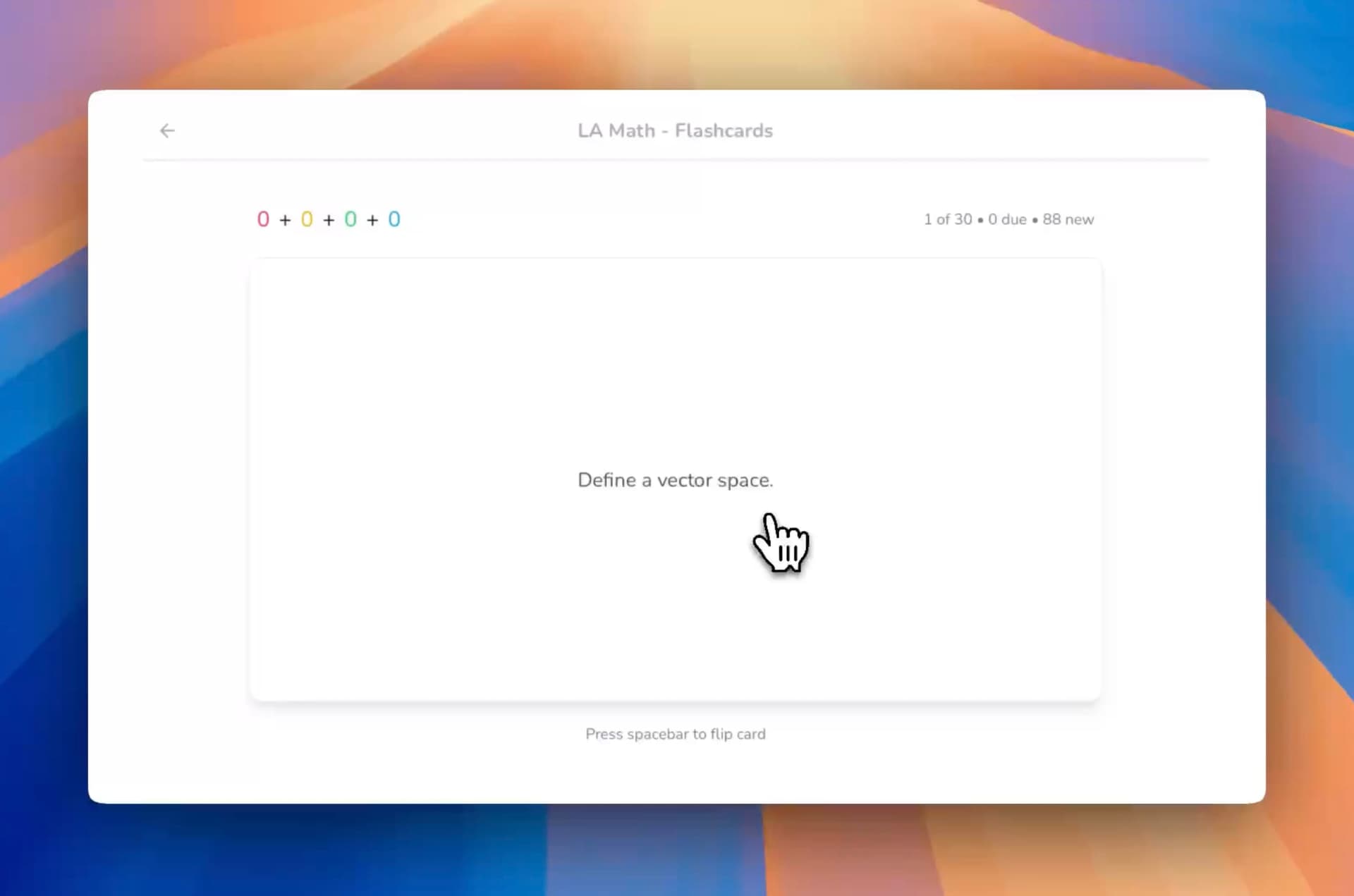
StudyPDF acepta PDFs de cualquier calidad, fotos, videos de YouTube y páginas web como entrada. Su lector con visión OCR maneja incluso escaneos, apuntes a mano o fotos de la pizarra. Sube un PDF de 50 páginas de tu clase y la IA de StudyPDF analiza el contenido, identifica los conceptos clave y genera un mazo completo de tarjetas en menos de un minuto. Las tarjetas incluyen terminología correcta, definiciones e incluso fórmulas matemáticas renderizadas en LaTeX. Puedes revisar las tarjetas generadas, editar las que quieras ajustar y empezar a estudiar de inmediato. Esto es lo que convierte a StudyPDF en la principal alternativa a Quizlet para estudiantes que estudian desde documentos.
Pruébalo tú mismo con el generador gratuito de tarjetas IA -- sin necesidad de cuenta para tu primer mazo.
Quizlet requiere la creación manual de tarjetas en la mayoría de los casos. Aunque ha introducido Q-Chat y algunas funciones asistidas por IA, el flujo principal de creación de tarjetas sigue dependiendo de que los estudiantes escriban términos y definiciones uno por uno. Para estudiantes con cientos de páginas de apuntes, esto es un punto en contra definitivo.
Anki es completamente manual. Cada tarjeta debe crearse a mano o importarse desde mazos compartidos. Aunque el ecosistema de código abierto de Anki permite complementos que pueden ayudar con la creación de tarjetas, el proceso de configuración es técnico y lleva mucho tiempo.
Repetición Espaciada y Ciencia del Aprendizaje
Las tres plataformas usan alguna forma de repetición espaciada, pero la calidad de implementación varía de manera considerable.
StudyPDF implementa el algoritmo SM-2 -- el mismo algoritmo de espaciado científicamente validado que hizo famoso a Anki entre los estudiantes de medicina. Las tarjetas se programan según tu rendimiento individual de recuerdo. Si tienes dificultades con una tarjeta, la ves antes. Si la dominas bien, el intervalo se extiende. Esto significa que tu tiempo de estudio siempre se enfoca en tus áreas más débiles, que es la forma más eficiente de construir retención a largo plazo.
Quizlet usa un sistema de espaciado propietario que es menos transparente y menos granular que el SM-2. Aunque sí espacía las tarjetas, los intervalos no están calibrados con tanta precisión a las curvas de aprendizaje individuales. Los estudiantes que se toman en serio la retención optimizada suelen encontrar el algoritmo de Quizlet demasiado simple.
Anki fue pionero del SM-2 en el espacio de las tarjetas digitales y sigue siendo el estándar de oro en cuanto a calidad del algoritmo en bruto. Sin embargo, la interfaz de revisión de Anki está desactualizada, y configurar los parámetros del algoritmo requiere conocimientos técnicos que la mayoría de los estudiantes no tienen.
StudyPDF combina lo mejor de ambos mundos: repetición espaciada a nivel de Anki envuelta en una interfaz moderna e intuitiva.
Más Allá de las Tarjetas: La Suite de Estudio Completa
El mejor creador de tarjetas en 2026 no es solo un creador de tarjetas. Los estudiantes necesitan un ecosistema conectado donde las tarjetas se integren en flujos de trabajo de estudio más amplios.
StudyPDF genera tarjetas como parte de una suite de estudio completa. Desde el mismo documento subido, Bo construye siete tipos de material, todos citados y etiquetados por concepto:
- Tarjetas estilo Anki con repetición espaciada SM-2
- Mapas mentales generados automáticamente
- Exámenes de práctica y cuestionarios con preguntas citadas desde tu material
- Guías de estudio, resúmenes y hojas de repaso generadas desde tu propio contenido
- Asistente de estudio IA que responde solo desde tu curso subido y cita la página o el segundo exactos de cada respuesta
Cada material alimenta el seguimiento de dominio por concepto, para que veas qué temas ya controlas y cuáles repasar. Esto significa que una sola subida de PDF produce un ecosistema de estudio completo. Descubre cómo los estudiantes lo usan para preparar exámenes en nuestra guía de casos de uso de tarjetas IA.
Quizlet es principalmente una herramienta de tarjetas. Aunque ofrece algunos modos de estudio (Learn, Test, Match), estos son variaciones del mismo contenido de tarjetas en lugar de modalidades de estudio verdaderamente diferentes. No hay mapas mentales, ni generadores de exámenes ni tutoría con IA.
Anki es exclusivamente una herramienta de tarjetas. Hace una cosa y la hace bien, pero los estudiantes que necesitan ayudas visuales de estudio, exámenes de práctica o asistencia con IA deben usar herramientas separadas.
El precio importa para los estudiantes. Así es como se comparan las tres plataformas en costo:
Precios de StudyPDF
- Plan gratuito: gratis para siempre, sin tarjeta, con un nivel gratuito generoso y acceso a todas las funciones
- Pro: plan de pago con un presupuesto de uso mayor para estudiar más cada semana
- Ultra: el plan de pago más amplio, con el mayor presupuesto de uso para sesiones de estudio intensivas
Precios de Quizlet
- Plan gratuito: Creación básica de tarjetas con anuncios, modos de estudio limitados
- Quizlet Plus: $7.99/mes -- sin anuncios, acceso sin conexión, modos de estudio avanzados
- Quizlet para Escuelas: Precio personalizado para educadores
Precios de Anki
- Escritorio (Windows/Mac/Linux): Completamente gratis
- AnkiWeb (sincronización): Gratis
- AnkiMobile (iOS): $24.99 compra única
- AnkiDroid (Android): Gratis
Análisis de valor: StudyPDF es gratis para empezar, con un nivel gratuito generoso y planes Pro y Ultra de pago, y ofrece muchas más funciones que la competencia, incluida la generación con IA, mapas mentales, exámenes de práctica y repetición espaciada SM-2. Anki es la opción más económica si usas solo el escritorio, pero lo pagas en tiempo: cada tarjeta debe crearse manualmente y la curva de aprendizaje para la configuración es considerable.
Para los estudiantes que valoran su tiempo, StudyPDF ofrece el mejor equilibrio entre precio y productividad. Los minutos ahorrados en la generación de tarjetas con IA justifican la suscripción desde la primera semana de uso.
La IA ya no es una palabra de moda en la tecnología educativa: es el diferenciador principal entre plataformas que ahorran tiempo a los estudiantes y plataformas que lo desperdician. Así se comparan las capacidades de IA de cada herramienta.
StudyPDF: Arquitectura Nativa de IA
StudyPDF fue construido como una plataforma nativa de IA. Cada función está diseñada en torno al procesamiento inteligente de documentos:
- Procesamiento de múltiples formatos con IA: Sube PDFs de cualquier calidad, fotos, videos de YouTube o páginas web. La IA extrae texto, figuras, fórmulas y estructura para generar materiales de estudio. Las figuras se recortan de tus diapositivas y se reutilizan en el material generado.
- Generación de tarjetas con conciencia de contexto: Las tarjetas no son solo pares término-definición. La IA de StudyPDF entiende el contexto del documento y crea tarjetas que capturan relaciones matizadas entre conceptos.
- Asistente de estudio IA: Haz preguntas sobre tu contenido subido y obtén respuestas fundamentadas en tus materiales de estudio reales, con cita a la página o el segundo exactos. Está hecho para tu curso, no para internet.
- Resúmenes inteligentes: Resúmenes generados por IA que se adaptan a la estructura del documento.
- Generación de exámenes de práctica: La IA crea preguntas de práctica citadas desde tu material y etiquetadas por concepto.
Quizlet: IA Integrada a Posteriori
Quizlet ha ido añadiendo funciones de IA a su plataforma existente, pero la integración se siente incremental en lugar de fundacional:
- Q-Chat: Un chatbot de IA básico para estudiar, pero con comprensión limitada del contenido subido por el usuario.
- Modo Learn mejorado con IA: Cierto espaciado adaptativo basado en el rendimiento, pero menos sofisticado que el SM-2.
- Sin procesamiento de documentos: La capacidad de IA más crítica -- transformar documentos en materiales de estudio -- está ausente.
Anki: Sin IA (Por Diseño)
Anki adopta un enfoque deliberado de proporcionar el algoritmo y dejar que los usuarios gestionen la creación de contenido. Aunque esto da el máximo control, implica que:
- Sin generación con IA: Cada tarjeta se crea manualmente.
- Complementos de la comunidad: Algunos complementos de terceros intentan añadir funciones de IA, pero la calidad y fiabilidad varían.
- Lo manual es la filosofía: Los usuarios de Anki suelen argumentar que crear tarjetas manualmente mejora el aprendizaje, lo cual tiene algo de verdad, pero al costo de una inversión de tiempo significativa.
Cada estudiante tiene necesidades diferentes. Aquí tienes un análisis honesto de qué plataforma se adapta a cada estilo de aprendizaje.
Elige StudyPDF Si:
- Estudias desde documentos. Si tus materiales de estudio principales son PDFs, diapositivas de clase o libros de texto, la generación con IA de StudyPDF no tiene rival. Sube una vez, estudia en cualquier lugar.
- Quieres un sistema de estudio completo. Las tarjetas solas no son suficientes. Quieres mapas mentales para la comprensión visual, exámenes de práctica para estar listo para los tests y un asistente IA para aclarar conceptos difíciles.
- Valoras los métodos científicamente probados. La repetición espaciada SM-2 combinada con recuerdo activo a través de tarjetas y pruebas de práctica te da la pila de aprendizaje más efectiva disponible.
- Te motiva ver tu progreso. La racha diaria y el seguimiento de dominio por concepto te muestran qué temas ya controlas y cuáles repasar, lo que te hace volver a estudiar.
- Necesitas soporte para matemáticas y ciencias. El renderizado completo de LaTeX en las tarjetas significa que los estudiantes de STEM obtienen una visualización correcta de las fórmulas sin soluciones alternativas.
- Quieres estudiar desde tu propio material. Subes tus PDFs, apuntes, videos o fotos y Bo responde solo desde ese material, citando la fuente exacta. Está hecho para tu curso, no para internet.
Empieza a construir tu primer mazo de tarjetas generadas por IA con el creador de tarjetas gratuito.
Elige Quizlet Si:
- Necesitas acceso a contenido existente de la comunidad. La enorme biblioteca de mazos generados por usuarios de Quizlet es su mayor ventaja. Si alguien ya creó el mazo que necesitas, Quizlet te ahorra tiempo.
- Prefieres estudiar desde el móvil. Las apps de iOS y Android de Quizlet son maduras y fiables para repasar en cualquier momento.
- Estudias principalmente idiomas. Para el aprendizaje simple de vocabulario término-definición, la interfaz de Quizlet es limpia y efectiva.
- Quieres acceso sin conexión. Quizlet Plus ofrece estudio sin conexión, lo cual es útil para estudiantes con internet poco confiable.
Elige Anki Si:
- Eres estudiante de medicina. Anki tiene un ecosistema profundo de mazos médicos prehechos (como AnKing) que son mantenidos por la comunidad y muy refinados.
- Quieres la máxima personalización. Las plantillas de tarjetas, campos y sistema de complementos de Anki permiten configuraciones de tarjetas extremadamente detalladas.
- Prefieres software gratuito. Si el presupuesto es la principal preocupación y usas el escritorio, Anki no cuesta nada.
- Disfrutas de las herramientas técnicas. Anki recompensa a los usuarios que invierten tiempo en aprender su sistema de configuración, aunque la curva de aprendizaje es considerable.
Los estudiantes que cambian de Quizlet a StudyPDF citan consistentemente tres razones:
1. Ahorro de tiempo. "Antes pasaba dos horas haciendo tarjetas desde mis PDFs de clase en Quizlet. Con StudyPDF, subo el PDF y tengo un mazo completo en menos de un minuto. Son dos horas extra de estudio real." -- Estudiante de Ingeniería, TU Berlín
2. Mejor retención. "El espaciado de Quizlet nunca me pareció correcto. Algunas tarjetas que ya sabía seguían apareciendo, y las difíciles no aparecían con suficiente frecuencia. El algoritmo SM-2 de StudyPDF realmente se adapta a qué tan bien conozco cada tarjeta." -- Estudiante de Premédica, LMU Múnich
3. El paquete completo. "Usaba Quizlet para tarjetas, una herramienta de mapas mentales por separado y sitios web de pruebas de práctica. StudyPDF reemplazó los tres desde una sola subida de documento." -- Estudiante de Derecho, Universidad de Heidelberg
Los estudiantes que cambian de Anki a StudyPDF citan:
1. Facilidad de uso. "Respeto a Anki, pero pasaba más tiempo configurando mazos que estudiando. StudyPDF simplemente funciona desde el primer momento."
2. Generación con IA. "Hacer tarjetas de Anki manualmente me comía las noches. Las tarjetas generadas por IA con edición de un clic cambió todo."
Cada plataforma tiene su lugar, pero la respuesta a "¿cuál es el mejor creador de tarjetas en 2026?" depende de qué priorices:
- Mejor creador de tarjetas en general: StudyPDF -- generación con IA, algoritmo SM-2, suite de estudio completa, precios competitivos
- Mejor para contenido existente de la comunidad: Quizlet -- enorme biblioteca de mazos compartidos, apps móviles sólidas
- Mejor para máxima personalización: Anki -- flexibilidad de código abierto, opciones de configuración profundas, gratis en escritorio
Para la mayoría de los estudiantes en 2026, StudyPDF es la mejor alternativa a Quizlet porque resuelve el problema fundamental: convertir tus materiales de estudio reales en tarjetas efectivas sin esfuerzo manual. La combinación de generación impulsada por IA, repetición espaciada científicamente validada y un ecosistema de estudio completo (mapas mentales, exámenes de práctica, asistente IA que cita tu propio curso) la convierte en la opción más productiva.
Quizlet sigue siendo relevante por su biblioteca comunitaria y su experiencia móvil, y Anki sigue siendo la opción para usuarios avanzados que quieren un control granular. Pero para los estudiantes que quieren estudiar de forma más inteligente, no más difícil, StudyPDF representa el futuro del aprendizaje basado en tarjetas.
¿Listo para ver la diferencia? Prueba el generador gratuito de tarjetas IA y crea tu primer mazo desde cualquier PDF en menos de 60 segundos.