The sessions are named after the topics Bo found in your own lectures, so the plan matches the syllabus you are actually sitting.
AI Study Plan
A study plan that plans every day to the exam.
Bo turns your course and your exam date into a plan for every single day until then. Each session names one topic and one thing to do, and builds the material for it in one click.
Stworzone tylko z twojego kursu.
Pro featureMake me a study plan for my exam on 30 September
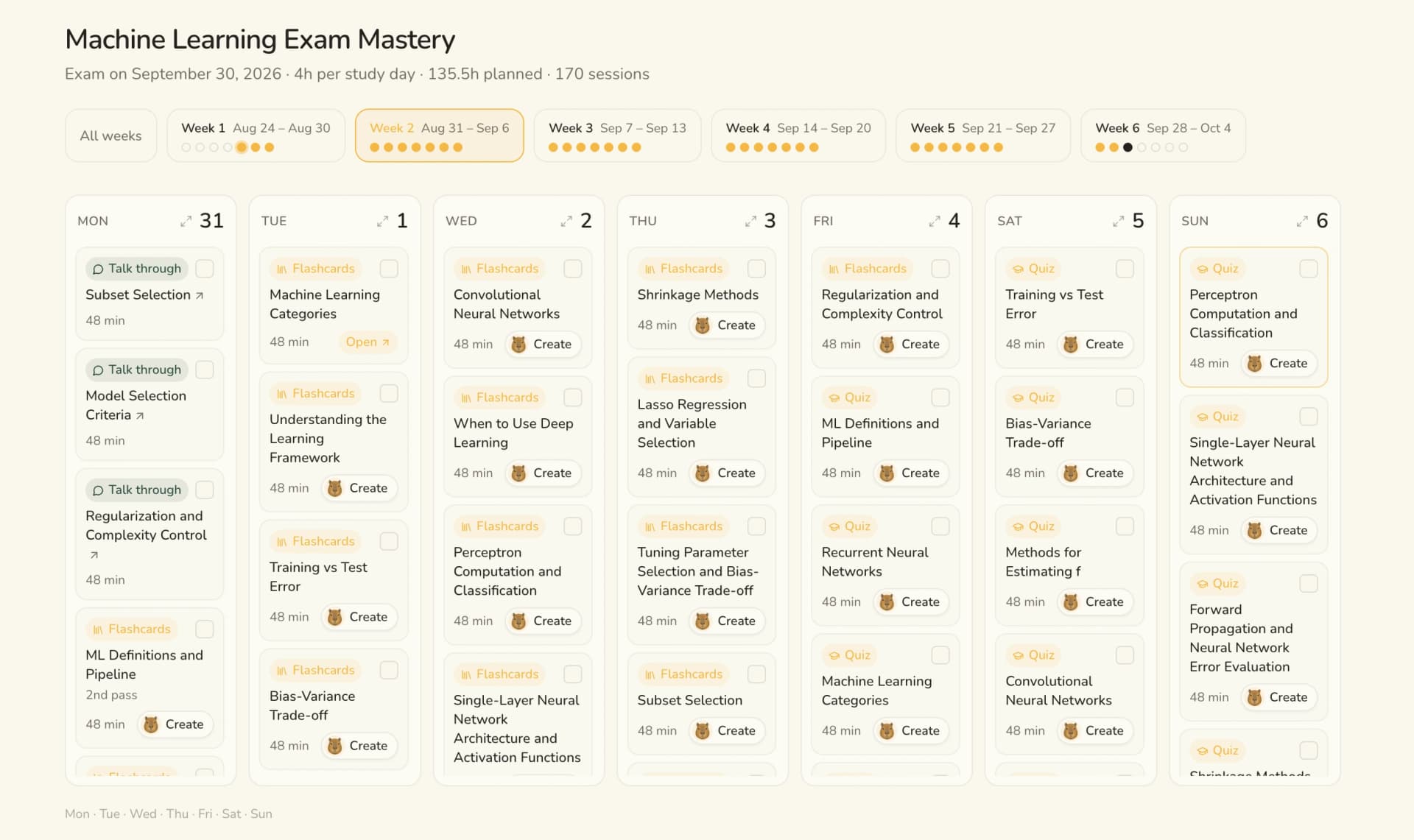
One week of a real plan. Every card is a topic plus the one thing to do with it.
Machine Learning · 170 sessions · exam 30 SepJak robi to Bo.
01
Upload your course
Lectures, slides, messy notes, and the date of the exam.
02
Bo plans backwards from that date
Weakest topics first, then understand, drill, test, with spaced repeats.
03
Study the session, not the pile
Open today, do the one thing, tick it off. The material is one click away.
Every session
A topic, and the thing you actually do with it.
A plan that only says which chapter to read is a to-do list. Each session here names an activity, and builds that material from your own lectures when you open it.
Talk it throughWork the topic out loud with BoFlashcardsA deck for the concepts in that topicQuizQuick questions to find the holesPractice examA timed mock in your exam's formatStudy guideOrdered sections that teach itSummaryThe gist, for a fast refreshCheat sheetOne dense page for the final
Cornell notesCues and notes, ready to self-test
Mind mapHow the concepts hang togetherThe hard part
Knowing the material is not the problem. Knowing what to do today is.
Weak first
It plans from what you actually know.
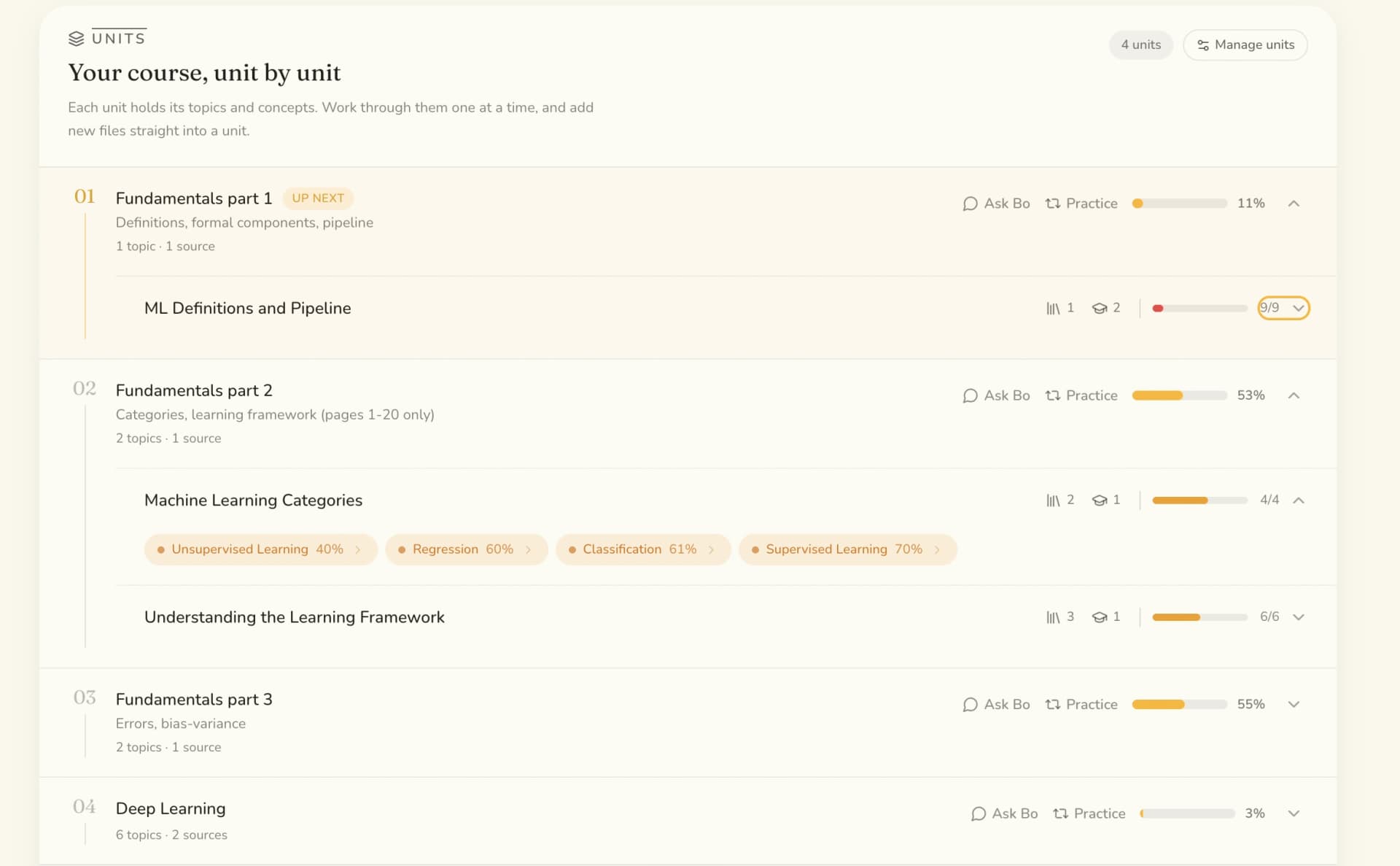
A short placement check at the start, then everything you answer afterwards. Shaky topics get the early slots and the extra passes. Solid ones get a quick repeat and get out of the way.
0%
- Bias-variance trade-off3 sessions
- Regularization2 sessions
- Model selection1 repeat
It keeps up
New lecture on Monday? The plan moves with it.
Upload a new lecture or push the exam date and Bo offers an update. You see what changed before anything is applied.
- New lectures become new sessions in the right unit
- Move the exam date and the whole plan re-times
- Nothing changes until you accept the update
Bo knows the plan
Ask what to study, and get today's answer.
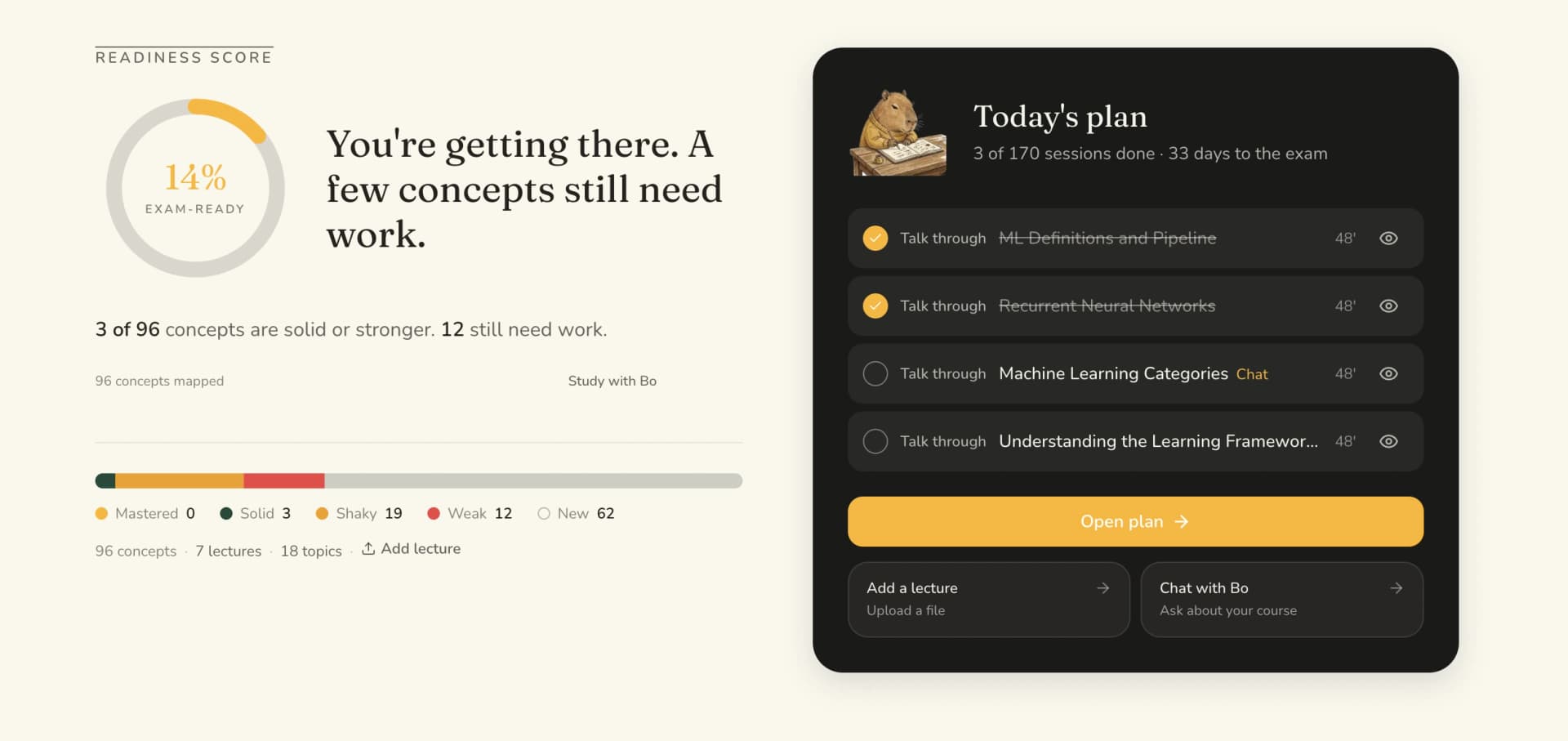
The plan is not a document Bo forgets about. Ask what is on for today and it reads the plan back, opens the session, and ticks it off once you confirm you are done.
What should I study today?
In your week
Export it to the calendar you already open.
Google Calendar, Apple Calendar, or any app that reads ICS. Today's session lands next to your lectures instead of in another tab you forget. The whole plan exports to PDF too.
Pricing
The plan is part of Pro.
Uploading your course, asking Bo and making flashcards, quizzes and study guides are free to start. The plan that schedules all of it for you is the upgrade.
See what Pro costsWhy Bo
A study plan built from your course, not a template.
Order comes from your results, not from chapter numbers. The topic you keep getting wrong is the one that gets the extra pass.
You set the days you study and the hours per day. Bo fits the sessions into that, and caps far off exams at a two month block.
What you get
A plan you can actually follow.
- One session per topic, every day until the exam
- Weak topics first, from your own results
- Understand it, drill it, then test yourself
- Spaced repeats so it actually sticks
- Tick sessions off and drag them to another day
- Export to Google, Apple or any calendar, or to PDF

Za darmo na start
Zacznij się uczyć.
Prześlij swój kurs i zapytaj Bo o cokolwiek. Karta nie jest wymagana.
Najczęstsze pytania
Pytania, z odpowiedziami.
It starts from your exam date and works backwards. Topics you are weak on come first, and each one goes through the same arc: understand it, drill it, then test yourself. Weak comes from real data, the placement check you take at the start and everything you have answered since, not from a guess.
Talking a topic through with Bo, flashcards, a quiz, a practice exam, a summary, a study guide, Cornell notes, a cheat sheet or a mind map. Every session names its topic and its activity, and builds that material from your own lectures when you open it.
No. For a far off exam the plan caps at a two month block so you get something you can actually follow, and it gets extended as the date comes closer.
Bo offers a plan update. New topics get sessions, the order shifts if your weak spots moved, and you see what changed before anything is applied. Moving the exam date works the same way.
Yes. Export it to Google Calendar, Apple Calendar or any app that reads ICS, so today's session shows up next to your lectures. You can also export the whole plan to PDF.
No, the study plan is part of Pro. Uploading your course, asking Bo, and making flashcards, quizzes and study guides are free to start. The plan that schedules them for you is the Pro upgrade.