Identify your specific challenges before choosing tools. Most students struggle with:
- Note organization and retrieval
- Memorization of complex concepts
- Time management across subjects
Quick Assessment: Spend 15 minutes analyzing your study patterns. Track what takes longest and causes most frustration.
Select tools that address your identified needs. Start with 2-3 rather than overwhelming yourself.
| Tool Category | Top Recommendation | Key Benefit |
|---|
| Note Generation | StudyPDF (Bo) | Cited summaries and study guides from your own course |
| Flashcard Creation | Anki with AI | Adaptive spacing |
| Concept Mapping | MindMeister AI | Visual connections |
Why StudyPDF: every summary, guide and card cites the exact page it came from, so you can check it against your own course.
Combine AI with proven study methods. AI works best alongside active recall and spaced practice.
Personalize Your Learning Experience
See your per-concept mastery across subjects and decide what to study next.
Optimize Study Time
Automate routine tasks while focusing on deep understanding.
Follow this 4-week implementation plan. Start with one tool and build gradually.
Week 1: Foundation Setup
Select your primary AI tool. Choose StudyPDF to upload your whole course and let Bo answer your questions with citations to the exact page, second, or source.
Daily Routine:
- Upload 2-3 key documents daily
- Generate AI summaries and flashcards
- Review materials for 45 minutes
Success Metric: Complete setup within 3 days and create your first study materials.
Week 2: Integration Phase
Add complementary tools. Combine StudyPDF with Anki for optimal spaced repetition.
Advanced Features:
- Set the difficulty and scope in the New material form
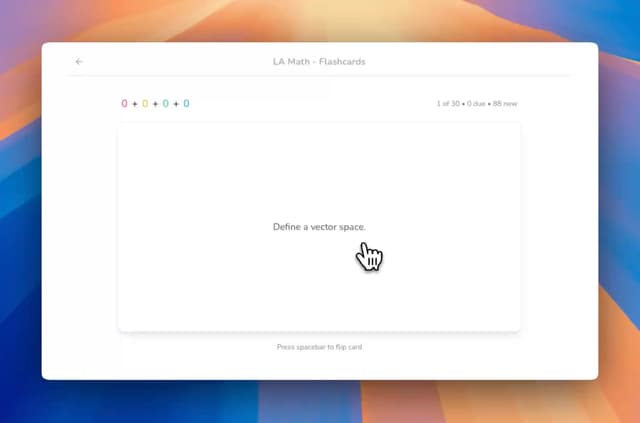
- Rate flashcards Again, Hard, Good or Easy
- Check your per-concept mastery after each session
Check-in: by the end of week 2, check your mastery view to see what is solid and what is not.
Week 3: Optimization
Fine-tune your system. Adjust what you study based on your mastery view.
Refinement Steps:
- Check your mastery weekly
- Adjust your study plan to the concepts that are still weak
- Share a course by link if you study in a group
Week 4: Mastery
Scale your system. Apply proven methods across all subjects.
Advanced Strategies:
- Make a practice exam on your weakest concepts
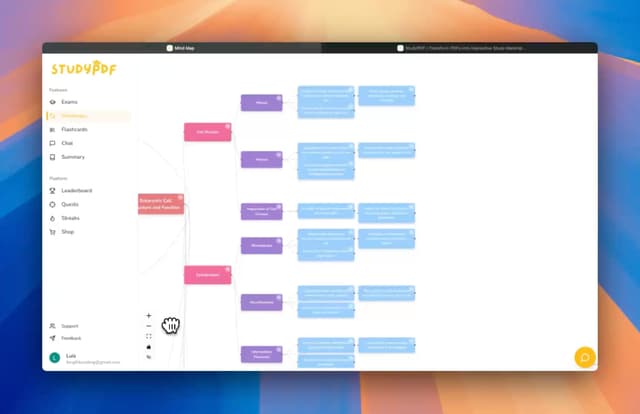
- Implement cross-subject concept mapping
- Establish maintenance routines
Follow these strategies. StudyPDF makes it easy to get started with intelligent study tools.
Ensure Quality Input
AI performance depends on input quality. Upload well-organized documents with clear headings and structure.
Best Practices:
- Use PDFs with searchable text
- Include table of contents
- Add keywords and highlights before processing
Balance AI with Critical Thinking
AI enhances, doesn't replace, human analysis. Use AI outputs as starting points for deeper understanding.
Implementation Strategy:
- Verify AI-generated summaries against source material
- Question assumptions in AI explanations
- Combine AI insights with personal analysis
Protect Your Privacy
Choose AI tools with clear privacy terms. Read how a tool handles your files before you upload.
Security Checklist:
- Review privacy policies before use
- Avoid uploading sensitive personal information
- Use tools with clear data deletion options
Which AI tool should I start with?
Start with StudyPDF. You upload your own course material and make cited flashcards, quizzes, practice exams, study guides, cheat sheets, summaries, and mind maps with the New material button, all grounded in your sources.
How much time will AI tools save me?
Less time spent on note-taking and review prep. Having cited summaries and cards ready from your own course means you spend your hours on understanding instead of formatting.
Can AI tools replace traditional studying?
No. AI tools enhance traditional methods. Combine them with active recall, spaced repetition, and regular practice for best results.
Are AI study tools expensive?
Most offer free tiers. StudyPDF is free to start with a free account and no card. Free gives you about 4 materials a week, and Pro gives about 35 a week.
How do I know if AI tools are working?
Track specific signals: Study time, exam scores, and your per-concept mastery.
What if I'm not tech-savvy?
Start simple. Choose user-friendly tools with intuitive interfaces. Most AI study tools require minimal technical knowledge.
Start your AI-powered learning journey today with StudyPDF. Upload your course for free and experience the power of intelligent study tools, built for your course, not for the internet.
What are you waiting for? Upload your documents now and see how AI can support your studying. Try StudyPDF Free and start today!