Whether you are a teacher prepping a unit or a student carrying a heavy course load, StudyPDF works the same way. You upload the exact material you teach or study from, and Bo builds study tools that stay inside that material. Bo is built for your course, not for the internet.
Upload your course content. PDFs, scanned pages, handwritten notes, photos, YouTube lectures, and websites all go in.
Generate study materials. Bo creates flashcards, quizzes, study guides, and mind maps from what you uploaded.
Trust every answer. Each card, question, and line cites the exact page, second, or source it came from.
Why it matters: Build a study set once and study from it as many times as you need.
Generate review decks straight from your lecture material. Every flashcard is tied to a concept in your upload and cites where the answer lives.
Process your lecture content. Bo turns slides, handouts, and readings into a flashcard deck.
Study at your own pace. Flip through cards built only from your material, never from the open web.
Track per-concept progress. Every card you review feeds a mastery view that shows which concepts are solid and which need more work.
Retention: Reviewing cards tied to your own material keeps you on the concepts your exam will actually test.
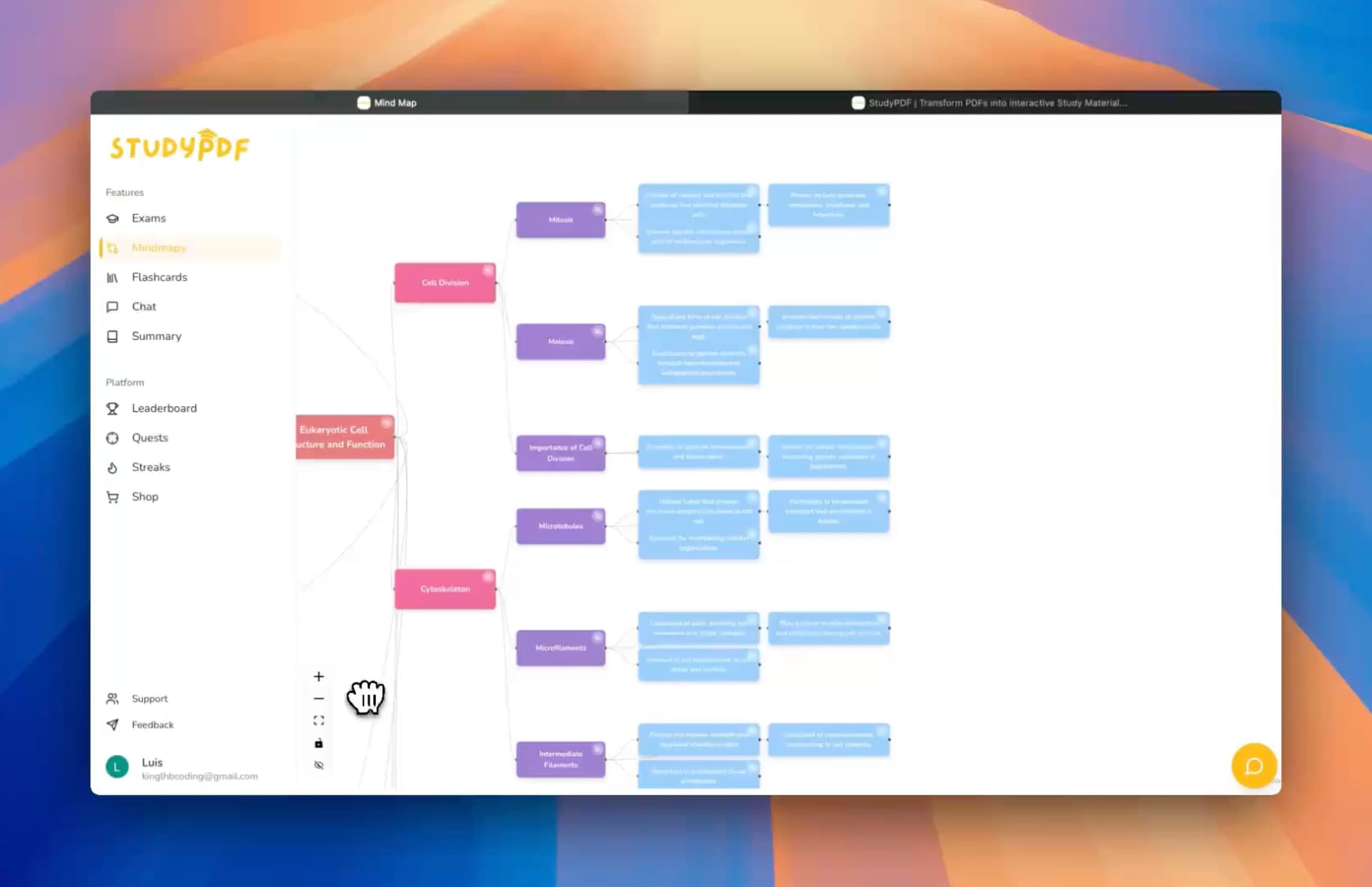
Turn a dense topic into a visual map that shows how the pieces connect. Hierarchical diagrams help visual learners see relationships across your course.
Generate a course map. Bo lays out the concepts in your upload as a connected diagram.
Explore the structure. Move through the branches to see how one idea leads to the next.
Stay grounded. Each node traces back to the page or source it came from.
Visual learning: A mind map gives you the shape of the whole course before you dive into the details.
Bo answers questions, but only from the material you uploaded. Ask about a reading, a slide, or a formula and Bo replies with the exact page or timestamp.
Upload your whole course. One course can hold many files, and Bo reads across all of them.
Ask anything in scope. Questions about your assignments, readings, and concepts get answered from your sources.
Get a citation every time. Bo points you to the page or second the answer came from, so you can check it yourself.
Support: It is like a tutor that has only read your syllabus and never makes things up from the wider internet.
Create a practice exam that matches the material you cover. Bo writes questions from your upload, with full solutions you can check against the source.
Build from your material. Bo writes exam questions grounded in your uploaded content.
See worked solutions. Each answer comes with an explanation and a citation back to your material.
Export when you need it. Send the practice exam to PDF or Word for offline study.
Exam prep: Practicing on questions drawn from your real material is the closest thing to seeing the test early.
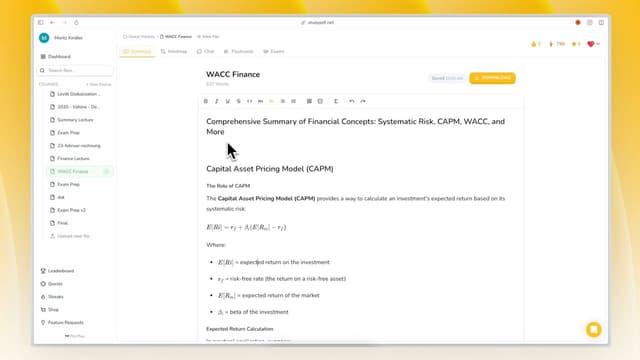
Pull a long reading or a full unit into a clean study guide or a short summary. Both stay inside your material and cite their sources.
Generate a study guide. Bo organizes your upload into a structured guide you can revise from.
Get a quick summary. Bo condenses a long source into the key points, with citations.
Read in your language. Every artifact comes out in the language you study in.
Why it works: A guide built from your own pages beats a generic one written for a different course.
Condense a topic into a one-page cheat sheet for fast review before a test. Bo keeps it tight and tied to your material.
Pick your scope. Point Bo at a unit or a set of files.
Get the essentials. Bo pulls the formulas, definitions, and key facts that matter most.
Export and print. Send the cheat sheet to PDF, Word, or Anki.
Fast review: One page with everything that matters, drawn from your own course.
Every artifact you build and review feeds a per-concept mastery view. You always know which concepts are solid and which still need work.
Watch mastery grow. Each review and quiz attempt updates your concept-level progress.
Find the gaps. Mastery shows the concepts you have not locked in yet.
Keep a daily streak. Visiting each day keeps your streak alive, a simple nudge to stay consistent.
Why it helps: Progress you can see keeps you studying the right things instead of the easy things.
Take your materials out of StudyPDF whenever you want. Every artifact exports cleanly.
Export to PDF. Print or share a clean copy of any artifact.
Export to Word. Edit and adapt the material in your own document.
Export to Anki. Drop flashcards straight into your spaced-repetition routine.
Portability: Your study material is yours to take anywhere.
Keep each course separate and organized. Bo works course by course, so material from one class never bleeds into another.
Organize by course. Each course holds its own files and its own concepts.
Keep answers in scope. Bo only ever answers from the course you are working in.
Switch with one click. Move between courses without losing your place.
Efficiency: Clean separation means every answer stays relevant to the class in front of you.
What can I upload?
Almost anything. PDFs including scanned and handwritten pages, photos, YouTube videos, and websites.
Where do the answers come from?
Only your material. Bo answers from the files you uploaded and cites the exact page, second, or source. It does not pull from the open internet.
What can Bo build?
Seven study tools. Flashcards, quizzes, practice exams, study guides, cheat sheets, summaries, and mind maps. All cited and tagged to concepts.
Can I see my progress?
Yes, per concept. Every review and quiz attempt feeds a mastery view that shows which concepts you have locked in.
Can I export my materials?
Yes. Export any artifact to PDF, Word, or Anki.
Is there a free version?
Free forever, no card needed. The free plan is generous. Paid Pro and Ultra plans add more usage when you need it.
Upload once, study from it. Turn your real course material into cited study tools you can come back to.
Stay inside your sources. Every answer traces to a page, a second, or a source you uploaded.
Start free. Built for your course, not for the internet.
Start with StudyPDF - Your material, your study tools.