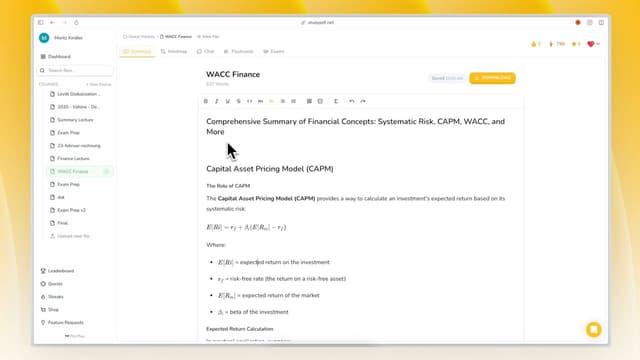
Turn your own course material into a quiz or a practice exam in minutes. Bo reads only the files you upload and writes questions that match what you actually teach. Built for your course, not for the internet.
Upload your course material. Bo reads PDFs (including scanned and handwritten), photos, YouTube videos, and websites.
Ask for a quiz or practice exam. Bo builds it from your uploaded material in your own language.
Check the citations. Every question points back to the exact page, second, or source it came from.
No setup cost. Bo handles the question writing, so you spend your time teaching.
Use a quick quiz to check whether the key ideas in your material landed. Bo writes the questions from your own files, so nothing comes from outside your course.
Point Bo at the topics. Tell it which file or section to draw from.
Generate the quiz. Bo writes questions grounded in that material, each one cited.
Review the answer key. Every question ships with the correct answer and the source it came from.
Concept-tagged. Each question is tagged to a concept, so you can see what it covers.
Generate a full practice exam that mirrors the scope of what you taught. Bo covers the concepts in your uploaded material, not generic test-bank questions.
Process your course content. Bo reads the files you uploaded for the course.
Generate a mix of questions. Bo writes multiple-choice, true/false, short answer, and essay-style questions.
Stay grounded in your files. Every question cites the page or source it came from.
Built for your course. The exam reflects your material, not a generic syllabus.
Hand students a quiz or exam where every answer comes with a clear explanation and a source. Students can check the original page themselves.
Deliver answers with sources. Each question includes the correct answer and a citation.
Point back to the material. Students can open the exact page or second the answer came from.
Keep it on your material. Bo only answers from the files you uploaded, so nothing drifts off-topic.
Trustworthy by design. Cited answers let students verify instead of guessing.
Every quiz, exam, flashcard set, and study guide feeds a per-concept mastery view. As students work through what Bo builds, progress shows up concept by concept.
Tag questions to concepts. Bo tags each item to the concept it tests.
Watch mastery build. Work across all artifact kinds feeds the same per-concept mastery layer.
Spot the weak concepts. Mastery makes it clear which concepts still need work.
Stay motivated. A visit-based daily streak keeps the habit going. No points, badges, or leaderboards.
Ask Bo for an easier set to warm up or a harder set to stretch. Bo adjusts the questions while keeping them grounded in your material.
Ask for the level you want. Tell Bo to make a quiz simpler or more challenging.
Mix the question types. Bo writes multiple-choice, short answer, and essay-style questions.
Stay aligned to your files. Every question still cites your uploaded material.
One source of truth. Difficulty changes, but the material it draws from does not.
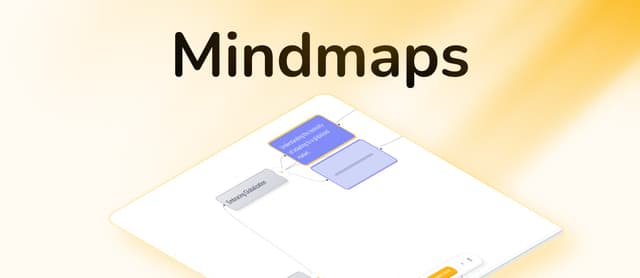
From one upload, Bo builds seven kinds of study material: flashcards, quiz, practice exam, study guide, cheat sheet, summary, and mind map. All cited, all in your language.
Generate what fits the task. Pick the artifact kind that matches what you need.
Keep everything grounded. Every artifact cites the page, second, or source it came from.
Match your language. Bo writes in the language of your course.
One upload, many artifacts. Reuse the same material across every kind.
Pair a practice exam with a study guide, cheat sheet, or flashcards so students can prepare. All of it comes from the same uploaded material.
Build study guides and cheat sheets. Generate review material from the same files.
Provide cited answers. Every artifact includes sources students can open.
Keep formats consistent. Practice and review both draw from your course material.
Export when ready. Send any artifact to PDF, Word, or Anki.
Bo only answers from the files you upload. There is no outside content slipping in, so what students see matches what you taught.
Check the citations. Every question and answer points to its exact source.
Catch anything off. If a citation looks wrong, the source is one click away.
Regenerate when needed. Ask Bo to rebuild an artifact from the same material.
One trust model. Cited, grounded, on your course. Nothing more.
Assessment Creation Efficiency Matrix
| Task | Traditional Method | StudyPDF AI Method | Time Savings |
|---|
| Question Generation | 4 hours | 15 minutes | 93% |
| Answer Key Creation | 2 hours | Instant | 100% |
| Assessment Review | 1 hour | 10 minutes | 83% |
| Answer Explanations | Manual | Cited and built-in | 95% |
| Review Material | 3 hours | Generated from the same files | 100% |
Total Weekly Savings: 8+ hours per teacher on assessment-related tasks.
What question types can the AI generate?
Comprehensive formats. Multiple-choice, true/false, short answer, essay prompts, and diagram-based questions.
How does the AI ensure curriculum alignment?
Content analysis. System processes your materials and learning objectives to create relevant assessments.
Can I edit AI-generated questions?
Full customization. Modify questions, answers, and explanations to match your teaching style and requirements.
Can I set the difficulty level?
Yes. Ask Bo for an easier or harder set, and it adjusts the questions while keeping them grounded in your material.
Can I export assessments?
Multiple formats. Export any artifact to PDF, Word, or Anki.
What if I need to assess complex skills?
Advanced question types. AI generates scenario-based, problem-solving, and analytical questions.
Spend less time writing questions. Bo turns your uploaded material into quizzes and practice exams.
Keep it grounded. Every question and answer cites the exact page, second, or source.
Start free. Bo is free to start, with paid Pro and Ultra plans when you need more.
Start Creating Assessments Today - cited quizzes and exams from your own course material.